
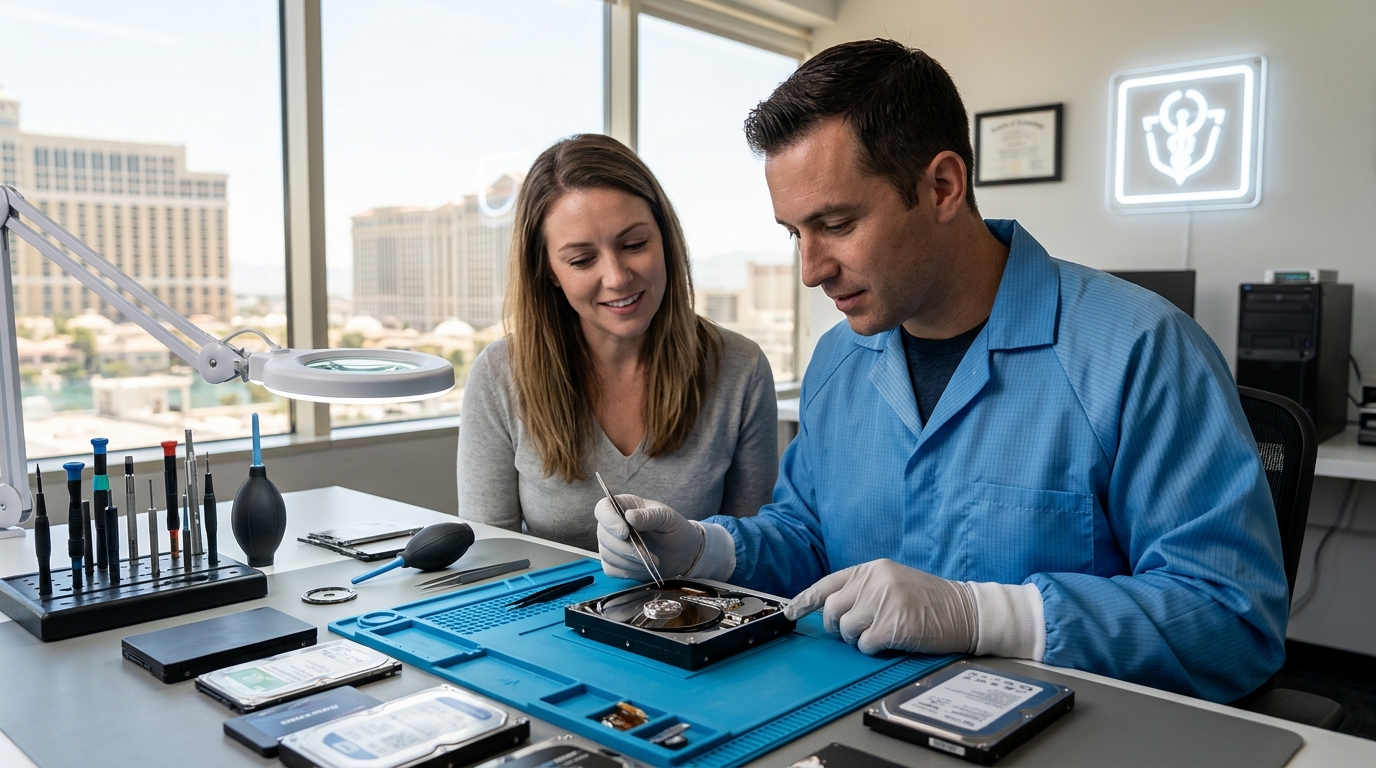
Step-by-Step Data Recovery Process for Failed Hard Drives and SSDs in Las Vegas
Data loss is a critical event that affects both personal users and enterprise operations across Clark County. According to industry analysis, the average cost of data recovery services has increased by 15% over the last three years due to the complexity of modern solid-state drive architectures. When a storage device fails, the immediate instinct is often to restart the computer or run software scans. However, these actions can permanently overwrite recoverable sectors. Understanding the professional data recovery process is essential for maximizing the chances of retrieving vital files, financial records, and irreplaceable memories.
Phase 1: Initial Diagnostic Assessment
The first step in any professional data recovery workflow is a comprehensive diagnostic evaluation. This phase determines whether the failure is logical (software-related) or physical (hardware-related). At Doctors of Technology, certified technicians begin by connecting the failed drive to a specialized hardware write-blocker. This device ensures that no new data is written to the drive during testing, preserving the original state of the data.
During this assessment, technicians analyze the drive's SMART (Self-Monitoring, Analysis, and Reporting Technology) attributes. These metrics provide insight into the drive's health, including reallocated sector counts, spin-up times, and read error rates. If the drive is not detected by the host system, the technician may inspect the printed circuit board (PCB) for visible damage, such as burnt components or corrosion. This initial evaluation is crucial for determining the appropriate recovery path and providing an accurate quote for data recovery services.
Phase 2: Physical Component Repair
When a drive suffers from mechanical failure, logical software tools are ineffective. Physical repair requires a controlled environment to prevent further data loss. Data recovery specialists operate in Class 100 cleanrooms to protect sensitive platters from microscopic dust particles. In this environment, damaged components are replaced with donor parts from identical drive models.
Common physical repairs include replacing the read/write heads, repairing the spindle motor, or swapping the firmware module on the PCB. Each component must be carefully aligned and calibrated to ensure the drive can spin up and communicate with the host system. This process is delicate and requires specialized tools and expertise. Attempting these repairs outside a cleanroom can introduce contaminants that destroy the magnetic media, making data retrieval impossible. For residents in Las Vegas, local expertise ensures that these complex repairs are handled with precision and speed.
Phase 3: Disk Imaging and Cloning
Once the drive is physically stable, the next critical step is creating a bit-by-bit image of the entire storage medium. This image is a sector-by-sector copy of the original drive, including all bad sectors and unreadable areas. The imaging process uses specialized software that can handle read errors by skipping damaged sectors and retrying them later, ensuring that the rest of the data is preserved.
Creating an image is vital because it allows technicians to work on a copy of the drive rather than the original. This prevents further stress on the failing hardware and ensures that the original data remains untouched. If the imaging process fails or the drive becomes unstable, the original media is preserved for future attempts. This step is particularly important for drives with significant physical damage, where every second of operation increases the risk of total failure.
Phase 4: Logical File Reconstruction
With a stable image in place, technicians move to the logical recovery phase. This involves analyzing the file system structure to locate and reconstruct files. Modern file systems, such as NTFS, APFS, and ext4, use complex metadata to manage file locations. When a drive fails, this metadata can become corrupted or fragmented.
Recovery software scans the image for file signatures, known as file headers and footers, to identify individual files regardless of their directory structure. For example, a JPEG image file has a specific header signature that allows the software to locate it even if the folder path is lost. Technicians then rebuild the directory structure and map the file fragments to their correct locations. This process requires deep knowledge of file system architecture and is often customized for specific data types, such as databases or virtual machine files.

Phase 5: Verification and Secure Transfer
After the recovery process is complete, every file is verified for integrity. This involves checking file hashes and attempting to open documents, images, and videos to ensure they are not corrupted. Any files that fail verification are flagged for manual review or additional recovery attempts.
Once verified, the data is transferred to a new, healthy storage device provided by the client or purchased by the recovery service. This transfer is performed over a secure connection to prevent data interception. Clients in Henderson and Summerlin can choose to pick up their recovered data in person or arrange for secure shipping. The final step involves providing a detailed report of the recovery process, including the success rate and any limitations encountered.
SSD-Specific Recovery Challenges
Solid State Drives (SSDs) present unique challenges compared to traditional Hard Disk Drives (HDDs). SSDs use a process called TRIM, which actively erases deleted blocks of data to maintain performance. Once TRIM has executed, the data is often unrecoverable. Additionally, SSDs use wear leveling and encryption controllers that complicate the recovery process.
Data recovery for SSDs often requires chip-off recovery, where the NAND flash memory chips are removed from the PCB and read using specialized hardware. This process must account for the specific controller algorithm used to map the data across multiple chips. The complexity of SSD recovery has led to a 20% increase in service times for solid-state devices over the past five years. Understanding these technical nuances is essential for setting realistic expectations for clients seeking laptop repair and data retrieval services.
Comparison of Recovery Methods
| Method | Best For | Success Rate | Timeframe |
|---|---|---|---|
| Logical Recovery | Accidental deletion, formatted drives, corrupted file systems | High (90%+) | 1-2 Days |
| Physical Repair | Clicking sounds, drive not detected, physical damage | Moderate (60-80%) | 3-5 Days |
| Chip-Off Recovery | SSD controller failure, water damage, burnt PCB | Variable (Depends on encryption) | 5-7 Days |
| Software Scan | Minor logical errors, user-initiated attempts | Low for physical failures | Immediate |
Key Takeaways
- Stop Using the Drive: Immediately cease all write operations to prevent data overwriting.
- Professional Assessment: Logical and physical failures require different recovery strategies.
- Cleanroom Environment: Physical repairs must be conducted in a dust-free environment to protect platters.
- Imaging First: Always create a bit-by-bit image before attempting file reconstruction.
- SSD Complexity: TRIM commands and encryption can make SSD recovery significantly more difficult than HDD recovery.
- Local Expertise: Local technicians in Clark County can provide faster turnaround times and secure hand-offs.
- No Guarantees: Success depends on the extent of physical damage and the presence of bad sectors.
Frequently Asked Questions
How long does the data recovery process typically take?
The timeline depends on the type of failure. Logical recoveries are often completed within 24 to 48 hours. Physical repairs require cleanroom work and component sourcing, typically taking 3 to 5 business days. Complex SSD chip-off recoveries may take up to a week.
Can you recover data from a drive that makes clicking noises?
Yes, clicking noises usually indicate a mechanical failure, such as a stuck read/write head. This requires immediate professional intervention to prevent further damage to the platters. Continuing to power on the drive can scratch the platters, leading to permanent data loss.
Is data recovery from SSDs possible after TRIM has executed?
Recovery is significantly more difficult after TRIM has executed because the drive actively erases the deleted blocks. However, in some cases, fragments of data may remain in unallocated space or within the wear leveling cache. Success is not guaranteed and depends on the specific SSD model and controller.
What is the success rate for data recovery?
Success rates vary widely based on the type of damage. Logical recoveries have a high success rate, often exceeding 90%. Physical recoveries depend on the extent of the damage and the availability of donor parts. Our technicians provide a realistic assessment after the initial diagnostic evaluation.
Do you offer a no-data, no-fee policy?
Many professional recovery services operate on a no-data, no-fee basis, meaning you only pay if data is successfully recovered. This policy protects clients from incurring costs for unsuccessful attempts. Contact Doctors of Technology for specific terms and conditions regarding this policy.
How do you ensure the security of my data?
Data security is paramount. We use encrypted storage for recovered data and follow strict chain-of-custody protocols. All recovery work is performed in a secure facility, and data is transferred to a new drive provided by the client or purchased securely by our team.
Can you recover data from water-damaged drives?
Water damage can cause short circuits and corrosion on the PCB and platters. Immediate drying and cleaning in a controlled environment can sometimes save the data. However, prolonged exposure to moisture often leads to irreversible corrosion, reducing the chances of successful recovery.
Secure Your Data Today
Data loss can be devastating, but acting quickly and professionally can save your files. If you are experiencing drive failure, do not attempt DIY repairs that could worsen the damage. Contact Doctors of Technology for expert data recovery services in Las Vegas. Our certified technicians are ready to help you retrieve your valuable data with speed and precision. Call us at (702) 277-0000 or visit our contact page to schedule a consultation.